Monk & Monkey vs Todoist: tasks, teamwork and the rest of your day
It's Tuesday morning. The proposal is due, your inbox has three new requests, and the task list has faithfully remembered all of them. What should happen next? Todoist helps you capture, organize and share that work. Monk & Monkey helps you choose what to do today, focus on it and keep the wider context in view.
The quick answer
Choose Todoist first if your main problem is keeping a busy task system orderly, particularly across projects or with other people. Its quick entry, recurring dates, filters, reminders and shared workspaces directly serve that work. Choose Monk & Monkey first if you want to plan an individual day, spend focused time on a task, and then connect what you did with a goal, habit or area of life. Neither choice removes the need to decide what is worth doing. The difference is the kind of context each app keeps close to that decision.
Capturing and organizing tasks
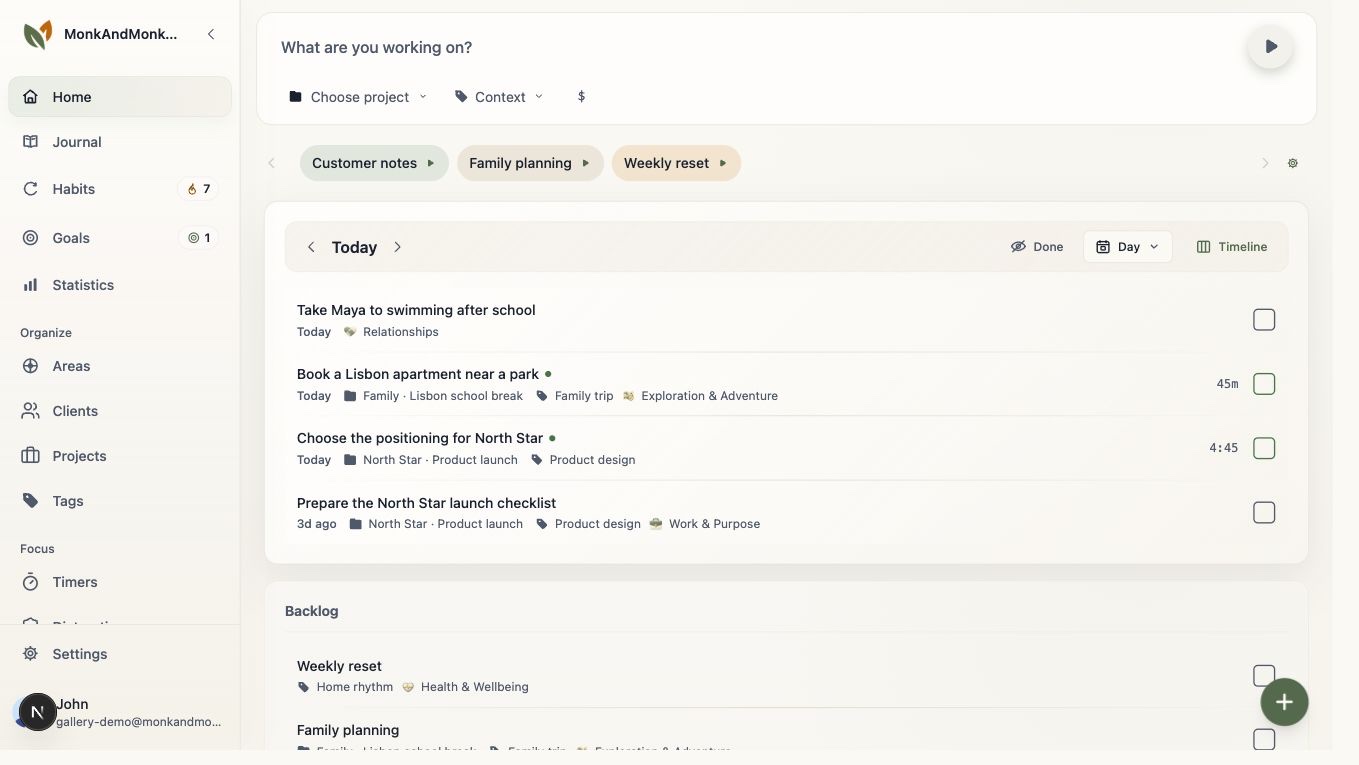
Todoist has a mature task workflow. You can add work quickly, use recurring dates, organize it into projects and sections, and narrow a large list with labels or filters. List, board and calendar layouts exist, though availability and limits can depend on the plan. Those details matter when the inbox fills faster than you can clear it. Monk & Monkey also starts with tasks, but its progression is more deliberate: an idea can wait in someday or backlog, move to today, then to in progress and completed. That makes a useful distinction between work you might do, work you chose for today and work you have started. If elaborate project filtering is central, test Todoist carefully. If your task list mostly needs to support an intentional day, test the Monk & Monkey flow.
A Tuesday you can actually test
Imagine you need to finish a proposal, follow up with a colleague and keep up a reading habit. In Todoist, you might capture all three quickly, set dates and put the proposal into a project shared with the colleague. That is a natural fit when coordination is the hard part. In Monk & Monkey, you might move the proposal into today, start a focus session from it, record the reading habit and later note in the journal why the follow-up slipped. That is a natural fit when you want a record of both action and context. These are example workflows, not claims about a typical user's results.
Working alone or with a team
Todoist explicitly supports shared projects, assigned tasks and team workspaces. If several people need to know who owns the next step, that is a substantial advantage. Monk & Monkey's public story is about personal planning and reflection. Do not choose it on the assumption that it will replace a team workspace. A solo user may still prefer Todoist because its task controls feel familiar and fast. Likewise, a person with work projects may prefer Monk & Monkey when they want a separate view of personal goals and daily effort. Test the actual handoff you need, not a generic collaboration checkbox.
Focus, goals and looking back
Todoist provides productivity and activity views, so it would be misleading to say it cannot help you review progress. Monk & Monkey takes a different route: a focus session can begin from a task; habits and goals are first-class parts of the same space; life areas let you name the parts of life you care about; and a journal gives thoughts a place that is not another task. That combination can be useful when the question at the end of the week is not only “what did I finish?” but also “what did I give attention to?” It also means more concepts to set up. If you only need a reliable list, that extra structure may be unnecessary.
How to make the choice
Put one ordinary week into both apps. Try a recurring task, a project with several steps, and a day when the plan changes. If you share work, invite someone into a real project in Todoist and check whether that solves your coordination problem. In Monk & Monkey, try moving work into today, completing a focus session, then reviewing the linked goal or writing a short journal note. Notice which app answers your most frequent question with less effort. Check current plan details for any Todoist feature you require; prices and limits can change. You do not need to migrate your entire history to learn which workflow fits.