Monk & Monkey vs TickTick: the calendar or the wider picture?
Your calendar says the afternoon is full. Your task list has other ideas. TickTick gives you calendar views, reminders, Pomodoro and habits to manage that collision. Monk & Monkey helps you choose the work, give it focused time and reflect on how it fits your goals and life areas.
The quick answer
Start with TickTick if you plan by time and want to see tasks in calendar views, use detailed reminders and keep a Pomodoro timer and habits nearby. Start with Monk & Monkey if your harder question is how today's work relates to longer goals and the different parts of your life. TickTick is not merely a task list, and Monk & Monkey is not merely a habit tracker. The useful distinction is where each app draws your attention when you decide what to do next and when you review what happened.
Planning a day
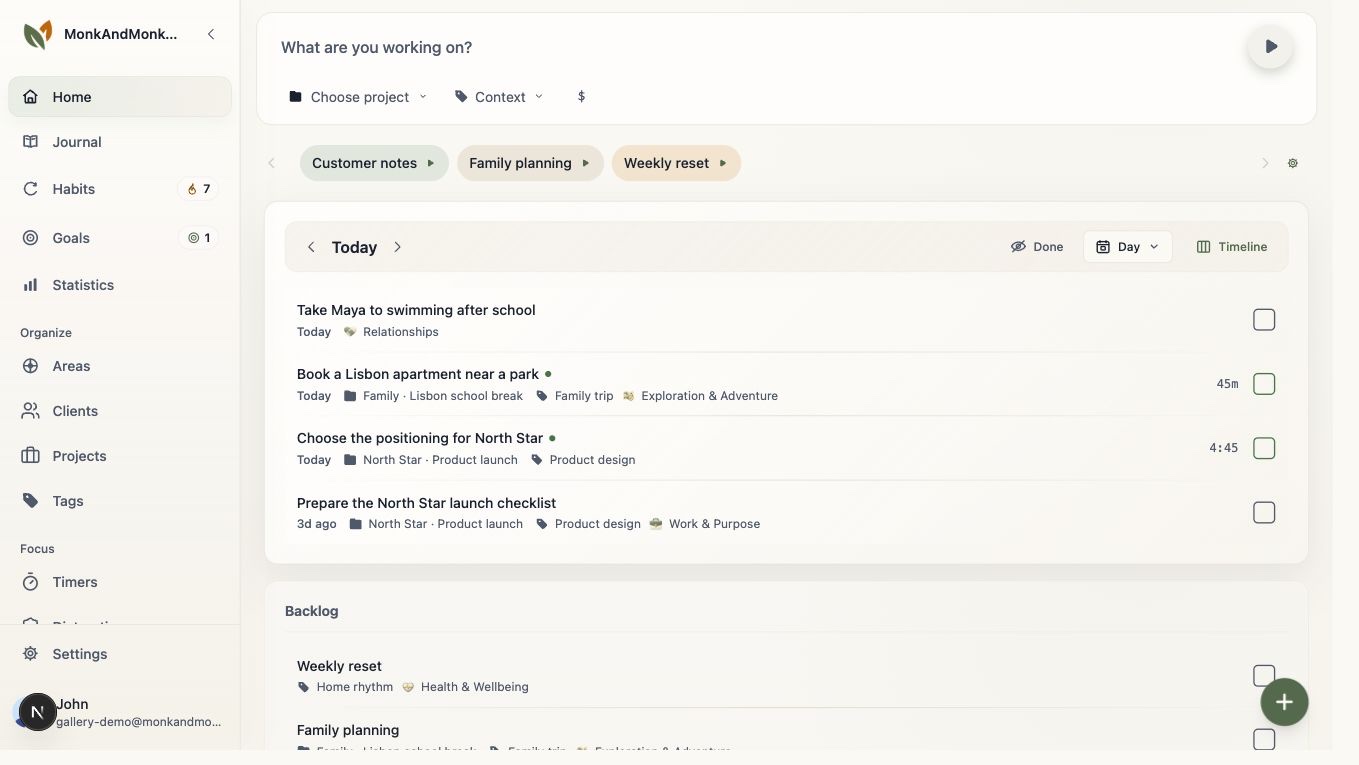
TickTick offers several calendar views as well as list, Kanban and timeline views. Its reminders include recurring rules; its site also describes quick entry through widgets, shortcuts and other routes. That breadth helps if you manage a crowded schedule and want to place tasks against time. Monk & Monkey uses a staged task flow: keep an idea for someday, bring it into backlog, select it for today, then move it into progress. A focus session can follow from the chosen task. The experience is less about arranging every item on a calendar and more about making a workable choice for the present day. If calendar placement is essential, verify the exact TickTick view and plan you need before committing.
Focus and habits overlap
This is not a comparison where one app has a timer and the other does not. TickTick describes both Pomodoro and habit tracking. Monk & Monkey has focus sessions and habits too. Try the same task and the same recurring habit in both. Ask whether the timer connects to the work you meant to do, whether recording a habit feels easy on a busy day, and whether the history gives you the perspective you want. In Monk & Monkey, the session and habit sit next to goals and life areas; in TickTick, they sit within a wider scheduling toolkit. The right arrangement depends on what you look for when you return tomorrow.
A realistic day in each app
Suppose you need to prepare a presentation, make two appointments and maintain a short daily walk. TickTick's calendar and reminders may help you place the appointments, while its task list, Pomodoro and habits cover the rest. In Monk & Monkey, you might select the presentation for today, work on it in a focus session, check off the walk and later write a few lines about why the appointments displaced another task. Both are plausible workflows. The example shows what to test; it is not a promise that either app will make the day go to plan.
What happens after the checklist
TickTick offers statistics and feedback for habits, plus other productivity tools, so it would be unfair to say it stops at completed tasks. Monk & Monkey gives reflection a more explicit place through the journal and through goals and life areas. You can use those to ask whether your effort served what you intended, without turning every thought into a scheduled item. That wider context can help someone whose week contains several kinds of priorities. It may feel like extra setup if all you want is a dependable schedule. Try a brief end-of-week review in each app before judging the difference.
How to make the choice
Build one real day in each app, including a task that moves, a recurring habit and one period of focused work. If your main friction is seeing where tasks fit among appointments, pay close attention to TickTick's calendar views and their current plan limits. If your friction is losing sight of why you chose the work, try Monk & Monkey's task, focus, goal and journal flow. TickTick also supports sharing lists and assigning tasks; test that if collaboration matters. Avoid choosing from a feature count alone. Keep the app that makes the next useful action and the later review easier for you.